Accessing the Training
This guide explains how to access and complete your required Security Awareness Training (SAT) within the CMMC Enclave.
Prerequisites
Before proceeding, ensure:
- You have your account fully setup with MFA, access, and licensing
- You are logged into the Cloud PC environment (CMMC Enclave)
If you haven't connected to the Cloud PC yet, please see Accessing the Enclave first.
Accessing the SAT Platform
Step 1: Open Microsoft Edge
While inside the Cloud PC, open the Microsoft Edge web browser.
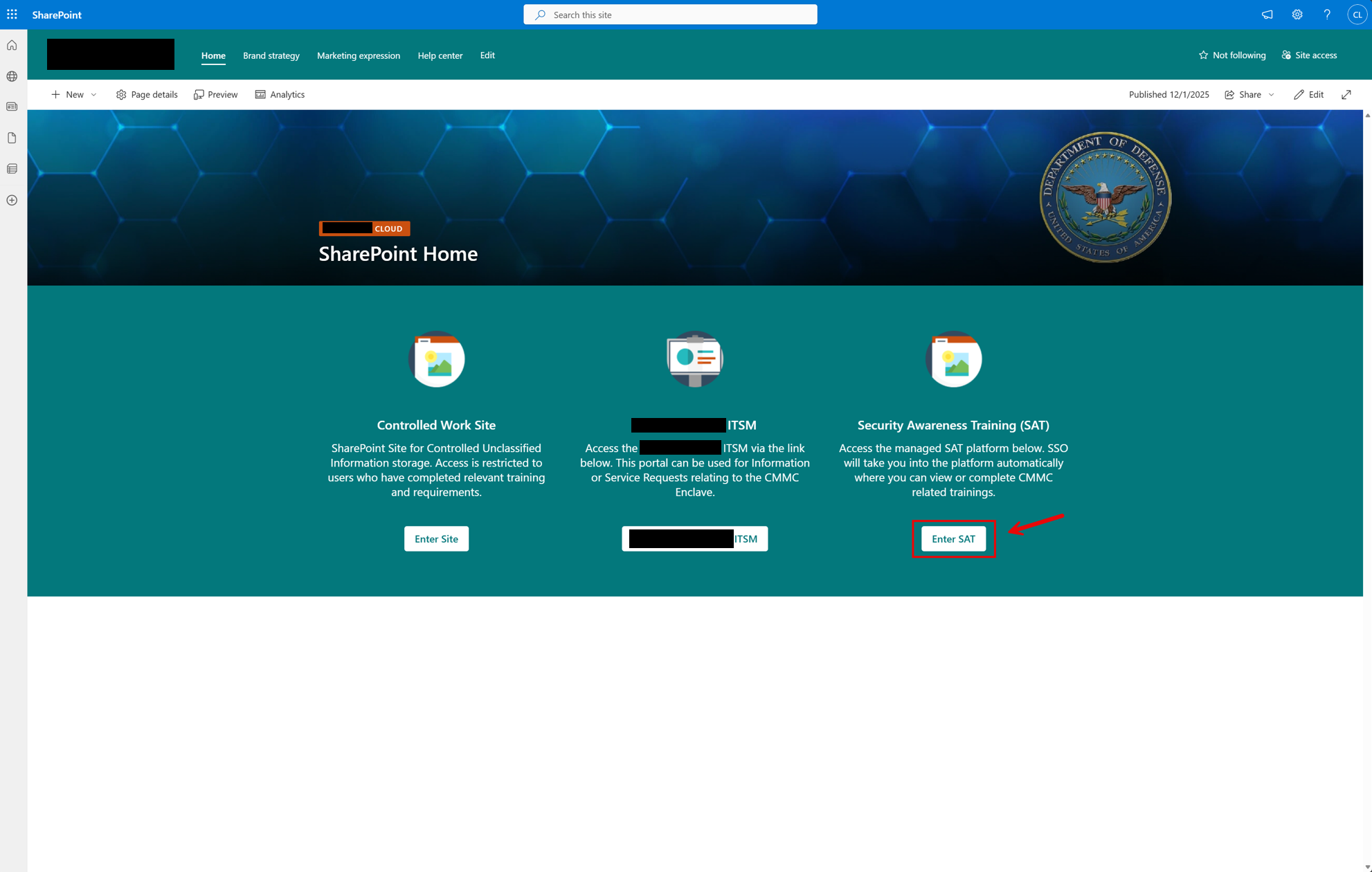
This web browser will load the home page, SharePoint.
Step 2: Enter the SAT Platform
Click on the Enter SAT button as shown here:
Step 3: Complete Your Trainings
From within the SAT Platform, complete your assigned trainings:
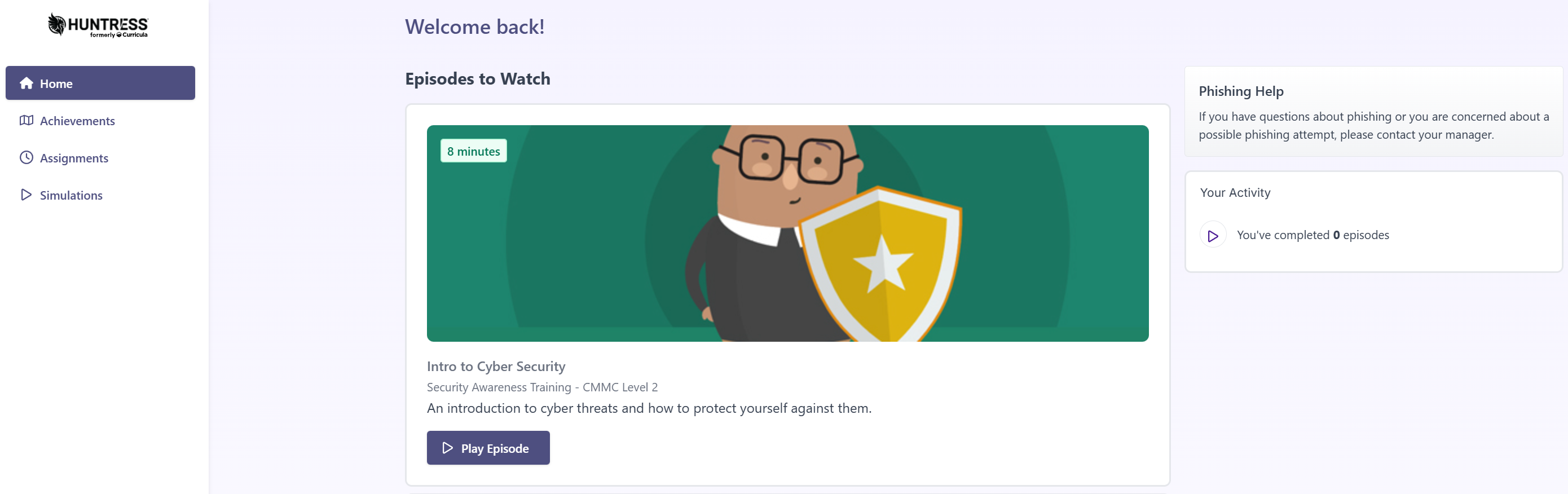
The platform will show you:
- Available training episodes to watch
- Your completion progress
- Any assigned training modules
Training Completion
Make sure to complete all assigned training modules. Your training completion status is tracked and may be required for compliance purposes.
Next Steps
After completing your training, you are ready to begin working within the CMMC Enclave.
Need to submit a support request? See Accessing the ITSM.